DriverFinanceTracker
Offline Android app for ride-hailing drivers to log income and expenses in a few taps.
Role: App design and development
- Ionic
- Angular
- Capacitor
- SQLite
APK released (v1.1.2); no download for now.
Problem
Many ride-hailing drivers do not know clearly how much they really earn. They receive payments from several apps, spend on fuel, tolls, washing and maintenance, and also have small daily expenses and household costs. Without a record, it all blends together and it is impossible to know what the net income of the week was.
Spreadsheets do not work well here. A driver is not going to open a sheet between two trips, with one hand on the wheel and a weak signal. If logging an entry is awkward, it gets left for later, and what is left for later is forgotten. A tool like this is only useful if noting an income or an expense is almost instant.
There is also the vehicle. Maintenance depends on the kilometers driven, and someone who does not write them down finds out an oil change was due when it is already late and expensive.
Solution and key features
DriverFinanceTracker is an Android app that works offline. It started as a tool for my own use, and I released it as an APK (v1.1.2). There is no public download for now, and I say so to avoid promising something that does not exist. These are its main pieces:
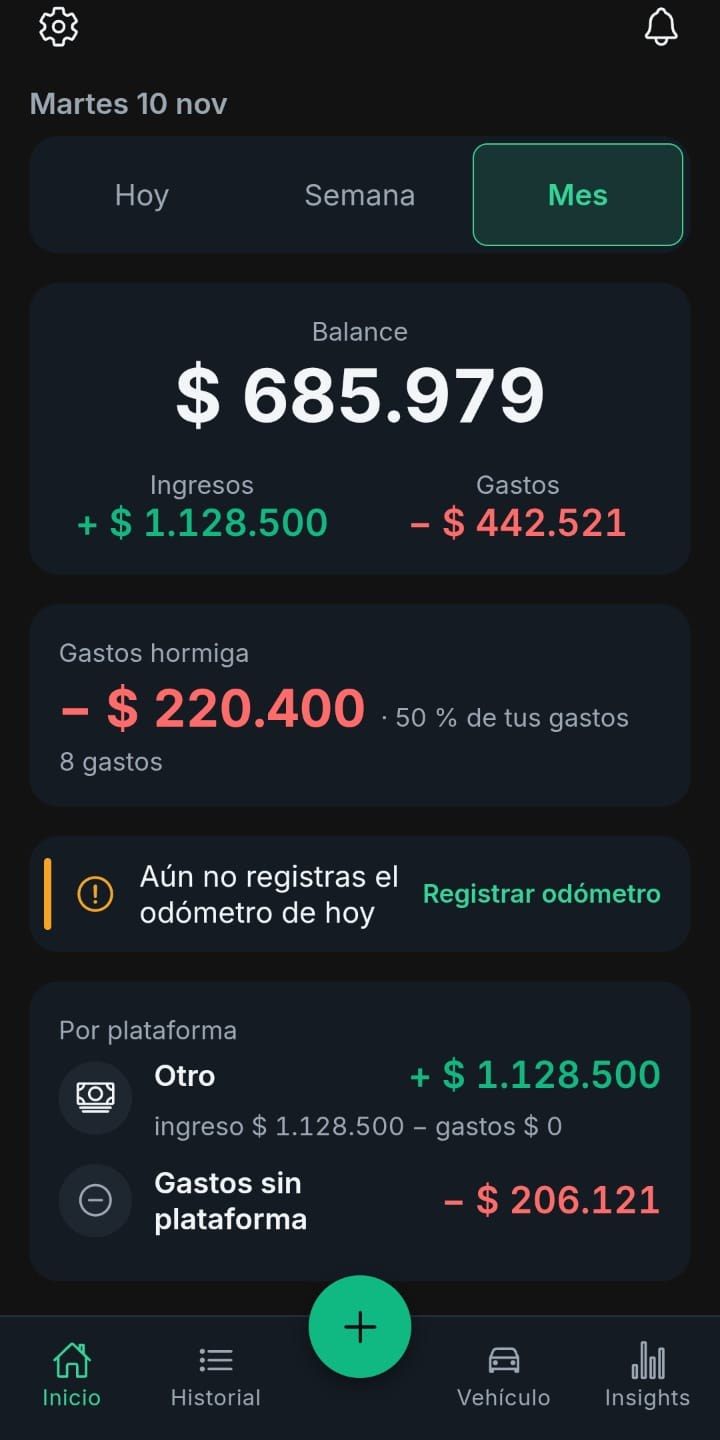
- Logging an income or an expense in three taps, with today’s date already set and an optional note.
- Income by platform and expenses grouped into work, small daily expenses and household, with custom categories the user can create.
- A daily summary with the earnings, the expenses and the net income, and lists with filters by date, type and category.
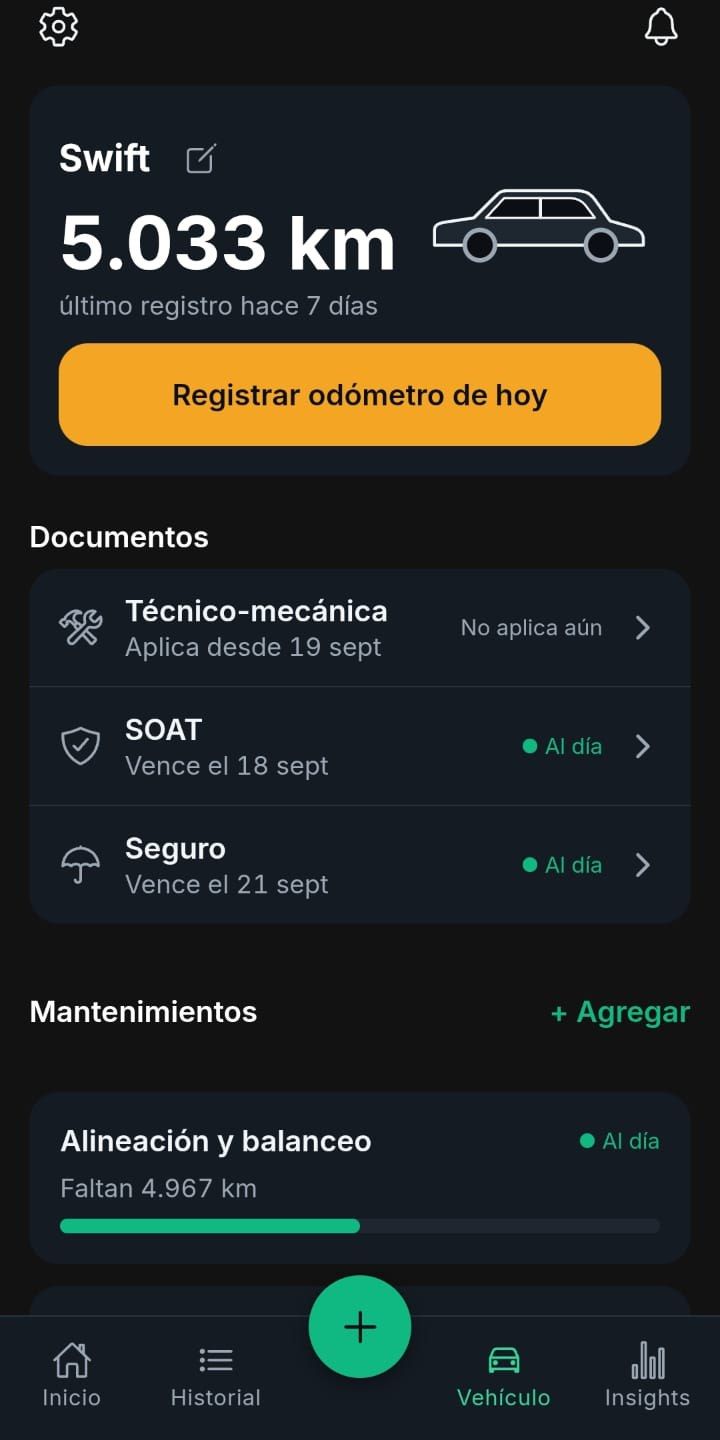
- Daily odometer and maintenance alerts: each part has an interval in kilometers and the app warns when it is getting close or has passed.
- Backup and restore as a CSV file, with validation and a preview before anything is applied.
- A silent daily automatic copy to the phone’s Documents folder.
- An interface in Spanish and in English.
The app is built with Ionic and Angular, packaged with Capacitor, and keeps everything in a local SQLite database. It needs no sign-up and no server, so nobody’s data lives anywhere except the phone of the person using it.
I tested the logic with a broad suite of automated tests, including tests against a real SQLite database, and left a few checks on physical devices for a final pass. The most important thing about the design is that the priority never changed: log quickly, offline and without depending on anyone.
Architecture
Simplified diagram; internal details omitted for privacy.
- The app records every entry directly in SQLite, with no network or server.
- Every day a CSV backup file is written to the phone's Documents folder.
- Maintenance alerts are calculated on the phone from the odometer.
Technical decisions
Local SQLite database, with no cloud sync.
- Why
- A driver works between trips, sometimes without signal. With the data on the phone, logging an entry always works and does not depend on any account or server.
- Trade-off
- If the phone is lost, the data goes with it, which is why I added backups instead of continuous sync.
Money is stored as whole numbers in the currency's minor unit.
- Why
- Binary decimals accumulate rounding errors when adding up many entries. With integers, the daily and monthly totals always add up.
- Trade-off
- Every screen has to convert when displaying and when reading what the user types, an extra step that needs care.
Restoring a CSV file in a single transaction, after validating it and showing a preview.
- Why
- A damaged or incomplete file cannot leave the database half-updated. Either everything is restored or nothing changes.
- Trade-off
- Restoring is slower and stricter than importing row by row, and a file with a single error is rejected as a whole.
Daily automatic backup to the phone's Documents folder, instead of using a cloud service.
- Why
- It avoids asking for accounts or broad permissions, works offline, and the driver can take the file along when switching phones.
- Trade-off
- The copy lives on the same device, so it protects against accidental deletion but not against losing the phone unless the user copies it elsewhere.
Gallery
My role
I designed and built the whole app, from the interface to local storage, and I also prepared and signed it so it can be installed on other phones. It started as a tool for myself and I kept improving it through daily use.